Your ERP Never Works Alone
A plain-language guide to APIs for anyone who works with an ERP. What they are, how to read one, and where to look first when an integration breaks.
· 5 min read
Imagine 200 orders a day.
Every morning, someone copies them by hand from the marketplace into the ERP. Most days it works. Then one typo turns into wrong stock, a wrong invoice, and an angry customer.
Nobody in that story is doing a bad job. The problem is that two systems can't talk to each other, so a person has to carry the message between them.
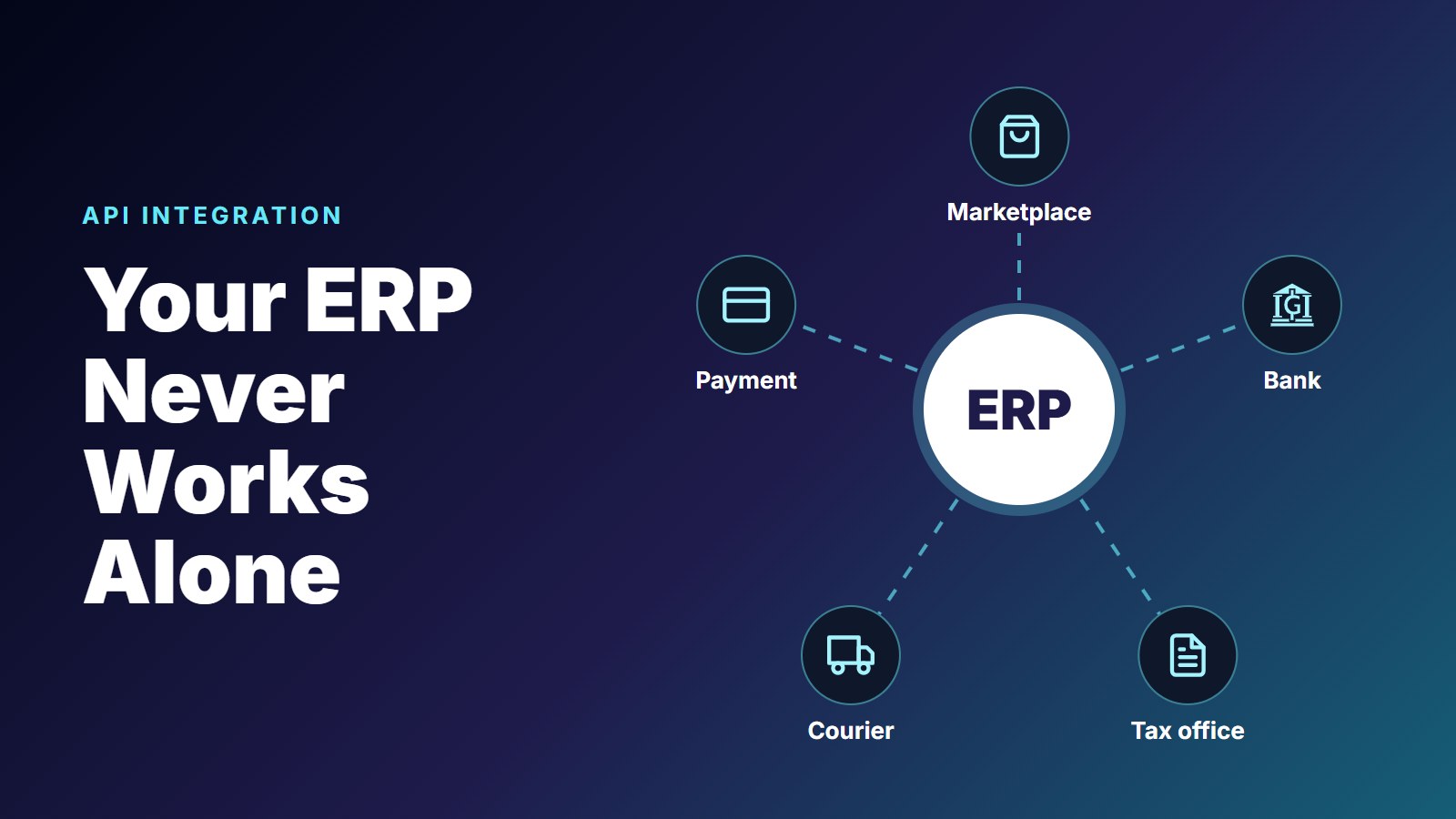
An ERP never works alone. It has to exchange data with marketplaces, banks, couriers, payment providers, and the tax office. When those conversations are automated, they usually happen through an API.
You don't need to be a developer to understand one. And once you do, a lot of "the system is down" conversations get much shorter.
An API is how one system asks another for something, without a person in the middle.
The Waiter Between Two Systems
The easiest way to picture an API is a restaurant.
You don't walk into the kitchen to cook your own meal. You tell the waiter what you want, the waiter takes it to the kitchen, and the waiter brings back the result.

In an ERP, the conversation sounds like this:
- Your ERP asks the bank: "Has PT XYZ paid invoice INV/0456?"
- The bank answers: "Yes. Rp 150 million, paid on 14 October."
So why not just let your ERP walk into the kitchen? The same reason a restaurant doesn't let you. The kitchen decides what it accepts, you can only order what's on the menu, and nobody outside touches the stove.
That's why a bank gives you an API, and not access to its database.
Every Request Has Four Parts
Every API request, from any system, is made of the same four things.
- Method
- What action you want. Think of it as deliver, pick up, or return.
- Endpoint
- Where the request goes. Think of the address on a package.
- Key
- Proof of who you are. Think of your ID card.
- Body
- The data you send. Think of what's inside the box.
Put together, a request to create a sales order looks like this:
POST /api/sales-orders
Authorization: Bearer ...xIc91

{
  "customer": "PT XYZ",
  "product":  "Laptop X1",
  "qty":      10
}
And the reply:
201 Created
{ "order": "SO/0456" }
You can send one of these yourself with a tool like Postman. No code needed, and it's the fastest way to see for yourself what a system really answers.
Four Methods Cover Most of the Work
- GET reads. Show today's orders.
- POST creates. Add a new customer.
- PUT or PATCH updates. Change the delivery address.
- DELETE removes. Delete a draft order.
There are others, but these are the ones you'll meet every day.
Read the First Digit First
Every reply comes with a status code. There are dozens of them, and you don't need to memorize them, because the first digit does most of the work.
- 2xx means all good. 200 OK, 201 Created.
- 4xx means something was wrong with what was sent. 400 bad data, 401 wrong key, 404 not found.
- 5xx means the server broke. 500 server error, 503 not available.
The first digit tells you whose side the problem is on.
That one habit changes the conversation. If the bank's API replies with a 401, there's no point opening a ticket with the bank about their system. Your key is wrong or has expired, and that's yours to fix.
It's a strong first clue, not a verdict. Sometimes a request you sent causes a 500 on the other side. But it tells you where to start.
One Order, Six Steps, Zero Re-typing
Now back to those 200 orders. Here is what one of them looks like once the systems talk to each other.
- Customer buys on the marketplace. No API call yet.
- Order arrives in the ERP from the marketplace:
POST /orders - Stock is reserved inside the ERP. No API call, because it stays in one system.
- Courier is booked by the ERP:
POST /shipments - Payment is checked with the bank:
GET /payments - Tax invoice is sent to the tax system:
POST /e-invoices
Every arrow between two systems is an API call. Nobody re-types the order, so nobody makes the typo.
The endpoints here are simplified, because every provider names theirs differently. The pattern stays the same.
When It Breaks, Check Four Things in Order
Integrations do break. When marketplace orders stop arriving one morning, the temptation is to message the other team right away. Start with the simple checks first.
1.Can I Reach It?
Is the address right, and is the other system up? A timeout usually lives here.
2.Am I Allowed?
Is the API key still valid? Keys expire, often without anyone noticing. This is your 401.
3.Is My Data Right?
A missing field, a wrong format, a wrong ID. These are your 400 and 404.
4.What Does the Log Say?
Read the exact error message, in the log, instead of guessing. This is where a 500 starts to make sense.
The order matters. Each check rules out a whole group of causes, so you aren't reading logs for an hour to find a key that expired yesterday.
One More Trap: The Reply That Never Came
There's one failure worth knowing even if you never touch an API yourself.
Your ERP sends an order, and the request times out. What happened?
Maybe the request never arrived. Then sending it again is safe. Or maybe it did arrive, the order was created, and only the reply got lost. Then sending it again creates a duplicate.
A timeout can't tell you which. So the safe habit is to look first, then resend: use a GET to check whether the order exists, and have your system send a unique reference with each request, so the other side can refuse a duplicate.
This is how a company ends up shipping the same order twice, or paying the same invoice twice.
Why This Isn't Just a Technical Topic
An integration is rarely a technology problem alone. It's a decision about who stops copying data, who owns the process now, and who gets the call when it stops working.
That's why it helps when everyone around an ERP understands the basics, not only the developers. The person who sees the error first can read the first digit, check the simple things, and describe the problem clearly. That alone saves hours.
So here's a good question to bring to your team on Monday:
Which apps do your teams use that could be integrated to reduce manual work?
Systems talk.
People shouldn't have to carry the message.
Start with one copy-paste job that everyone hates.